
A day planner for iPhone, iPad, Mac and Apple Watch
You say when to be there. Puntual tells you when to leave.
Enter when you need to be somewhere, how long the trip takes and how early you like to arrive. Puntual works out when to leave and reminds you.
| Leave | Task | Arrive | Status |
|---|---|---|---|
| School | 7:50 AM | Gone | |
| Team meeting | 9:50 AM | Leave in 12 min | |
| Lunch with Mom | 1:55 PM | On time | |
| Gym | 6:25 PM | On time | |
| Movies | 8:30 PM | On time |
For iPhone on iOS 27, iPad on iPadOS 27, Mac on macOS 27 and Apple Watch on watchOS 27.
A day with Puntual
From wake-up to wind-down. Everything the app does, in the order you will use it.
iPhone
Your day on a single timeline
Each task is a colored pill as tall as it is long. Travel and arrive-early time show as a lighter band above and below. Gaps tell you how much free time you have, and clashes are flagged for you. When a task falls inside another, like the gym during a visit, it shows as "During..." and both count.
iCloud
Last night's plan, on every device
Your tasks, wake-up and bedtime, and time format sync through iCloud across every device signed in to your Apple Account. Plan on your Mac, check it on your iPad and head out with your iPhone. No extra account needed.
Live Activities
"Leave in 25m", without opening the app
Half an hour before you leave, a countdown shows up on the Lock Screen and in the Dynamic Island, with buttons to mark it done or skip it. When several tasks are close together, each gets its own (up to three). Turn on reminders and you get a nudge at leave time or a few minutes before.
Apple Watch
What's next, on your wrist
The Now page shows what is up next and how long until it. On Today you mark tasks done. It syncs with your iPhone and has complications for your watch face.
iPhone
Gym, then pick up mom, then home
Link a task to the next one and the trip counts from there, not from home. The timeline joins them. The last task of the day always goes home.
Widgets
Your next departure on the Home Screen
Small and medium widgets with what's next and when to leave, a large one with the whole day, and Lock Screen versions. Tap a task's circle in the widget to check it off without opening the app.
iPad and Mac
Your day on the big screen
On iPad and Mac, Puntual uses a sidebar and keyboard shortcuts to add tasks and move between days. Drag in a photo or PDF of your timetable to import it. On the Mac, what's next lives in the menu bar: see it, check tasks off or add a new one without opening the window.
Apple Intelligence
Your class schedule, from a photo
Take a photo, or pick an image or a PDF. Puntual reads every subject, day, time and room, and you check it all before it is added. Online classes get no travel time.
Focus
Pomodoro for study time
25 minutes of focus, 5 of rest and a 15 minute long break. Change the times, link it to a task and follow it from its own Live Activity.
Siri
Tomorrow, in one sentence
Type "gym at 8, meeting at 2, movies at 6" and you get three tasks. Or say "Hey Siri, add my day in Puntual" and tell it what you have planned.
Screenshots
Puntual on iPhone, on iPhone Duo, where your day and the calendar fit side by side, on iPad and on Mac.
iPhone
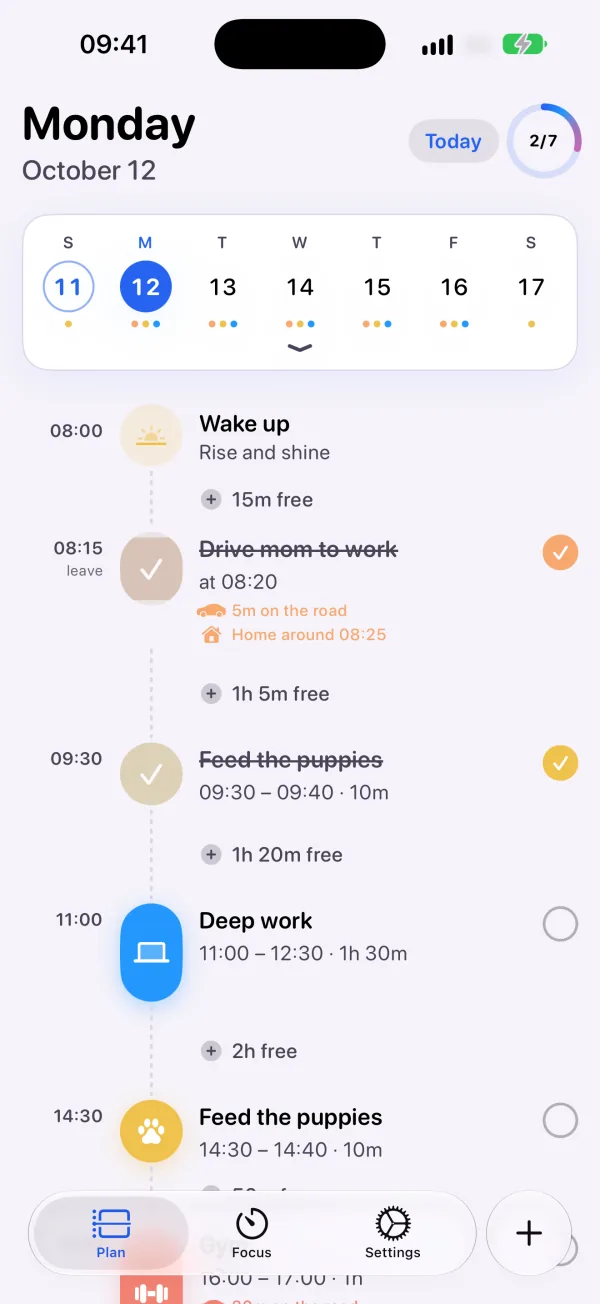
Your day, minute by minute 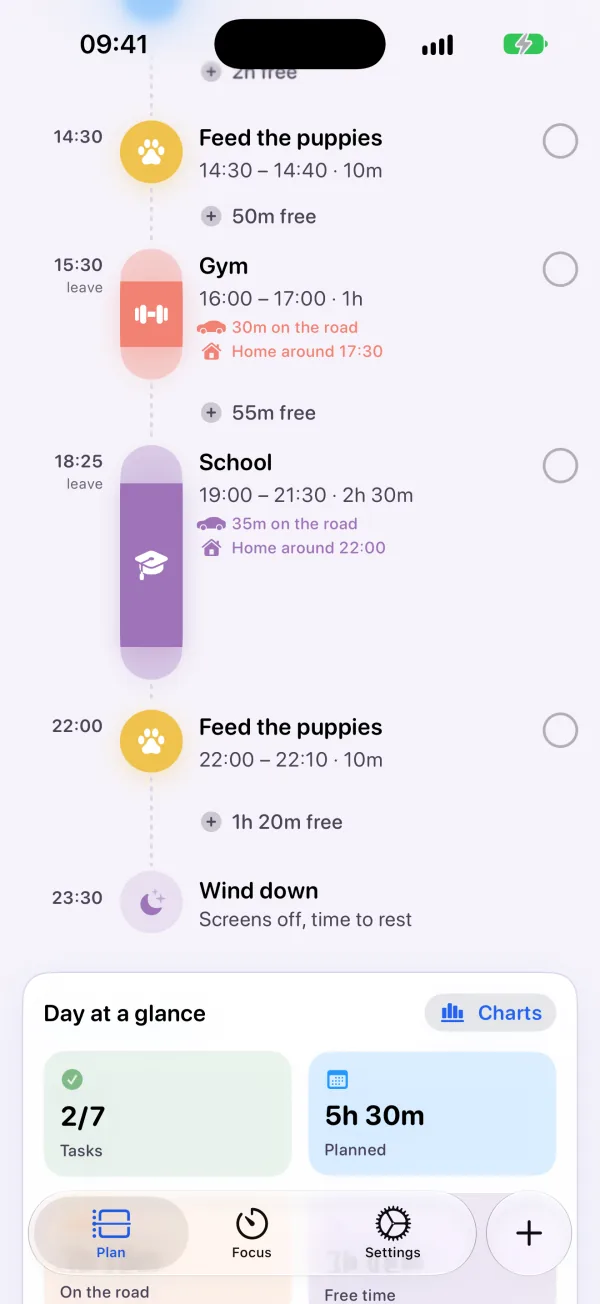
Leave on time, arrive on time 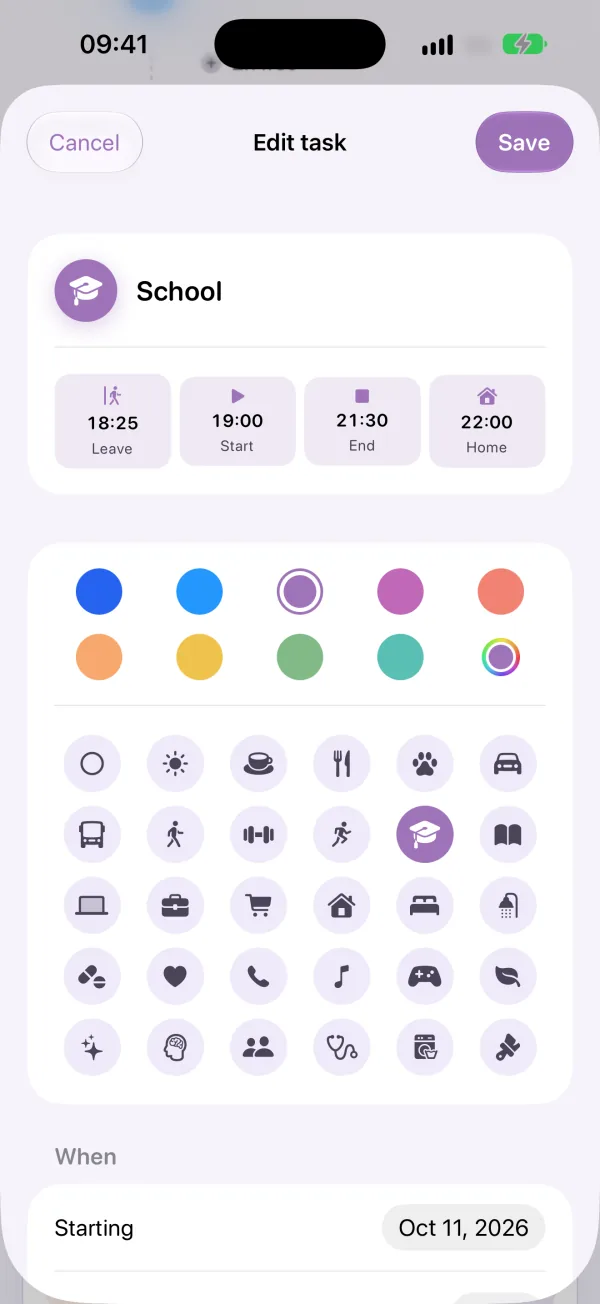
You set the time, Puntual does the math 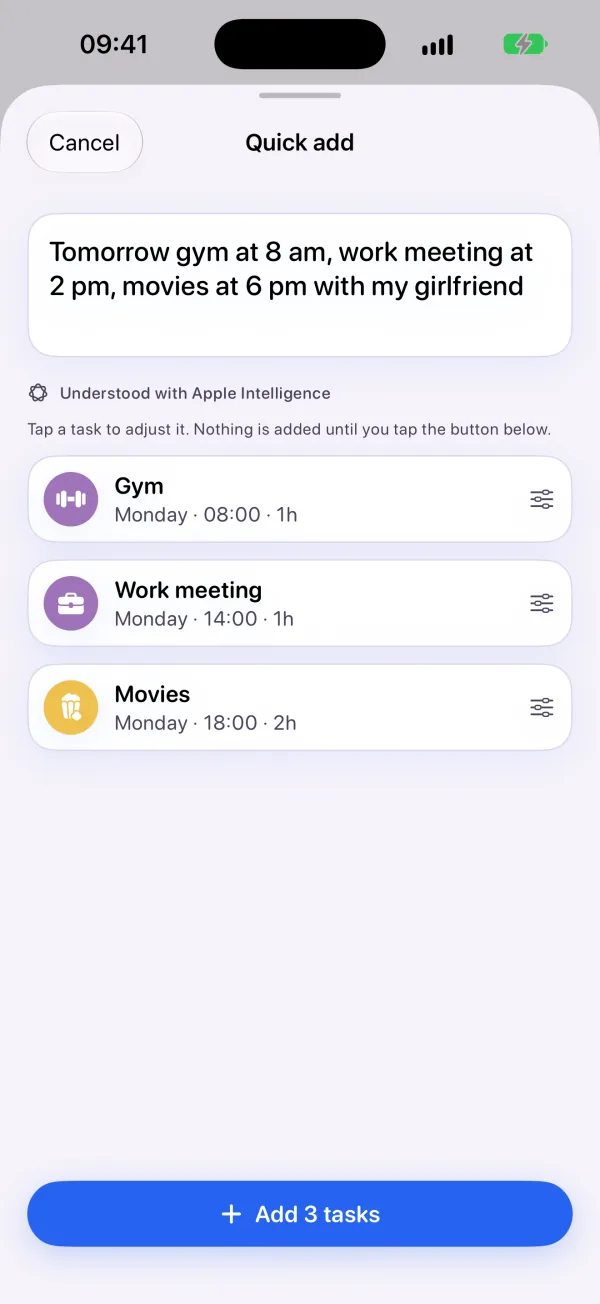
Say it in one sentence 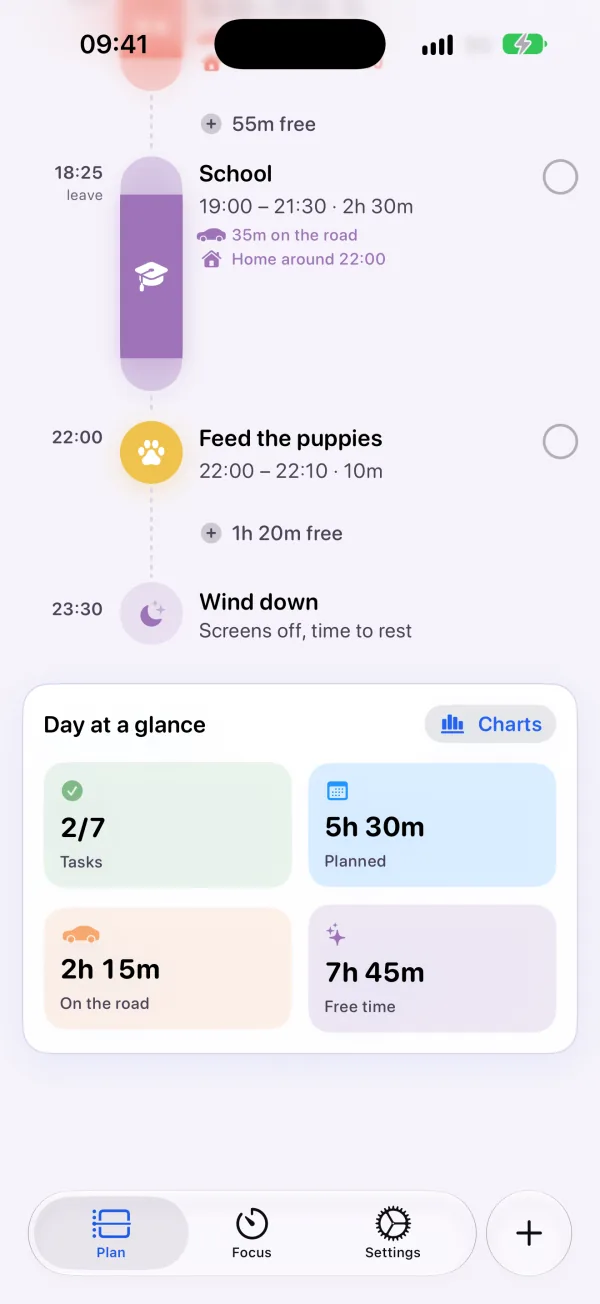
Your day at a glance
iPhone Duo
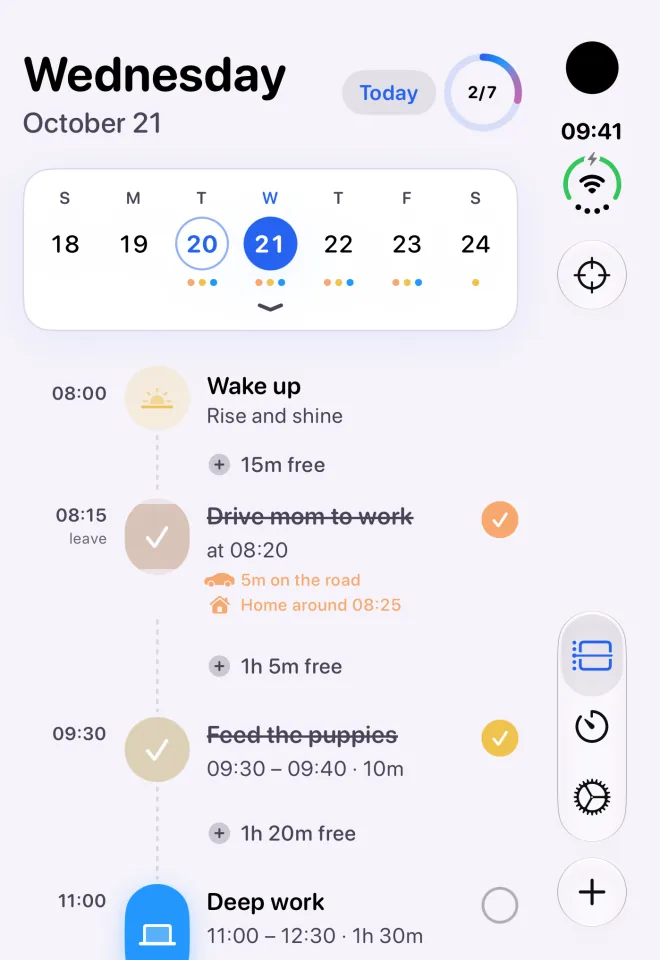
Folded, your day fits the cover screen 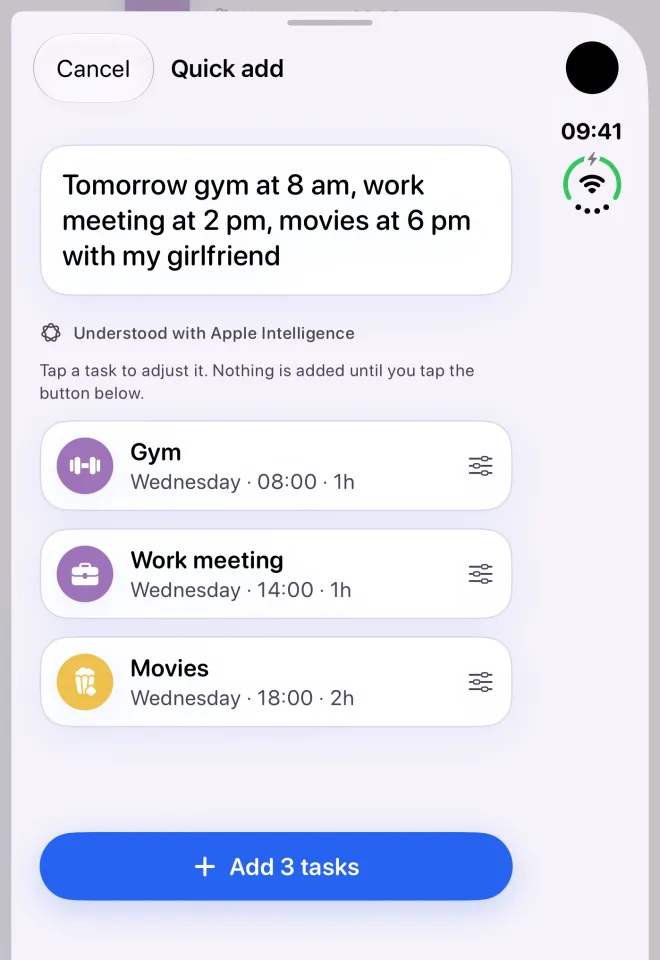
Say it in one sentence 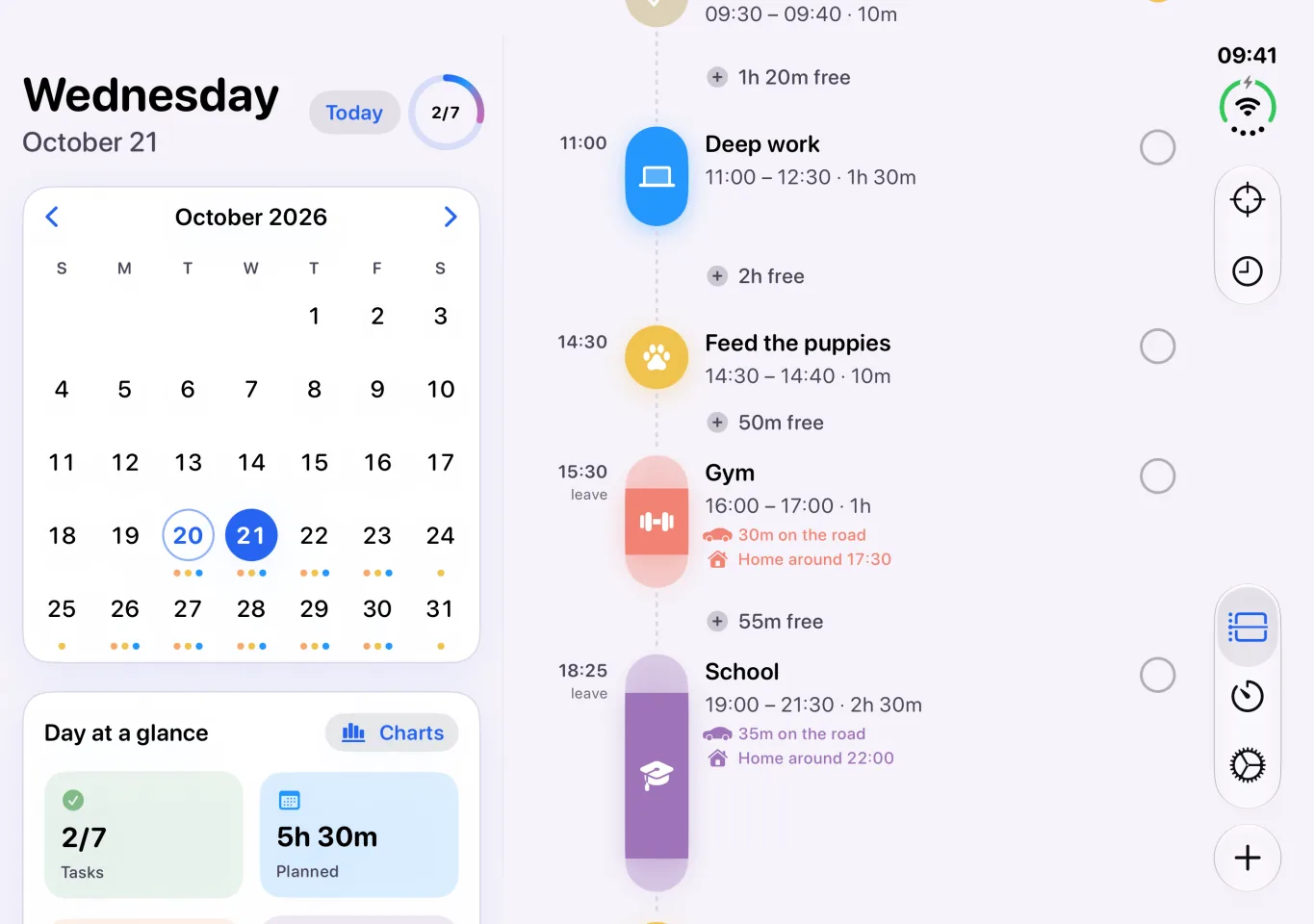
Open it and see your whole day 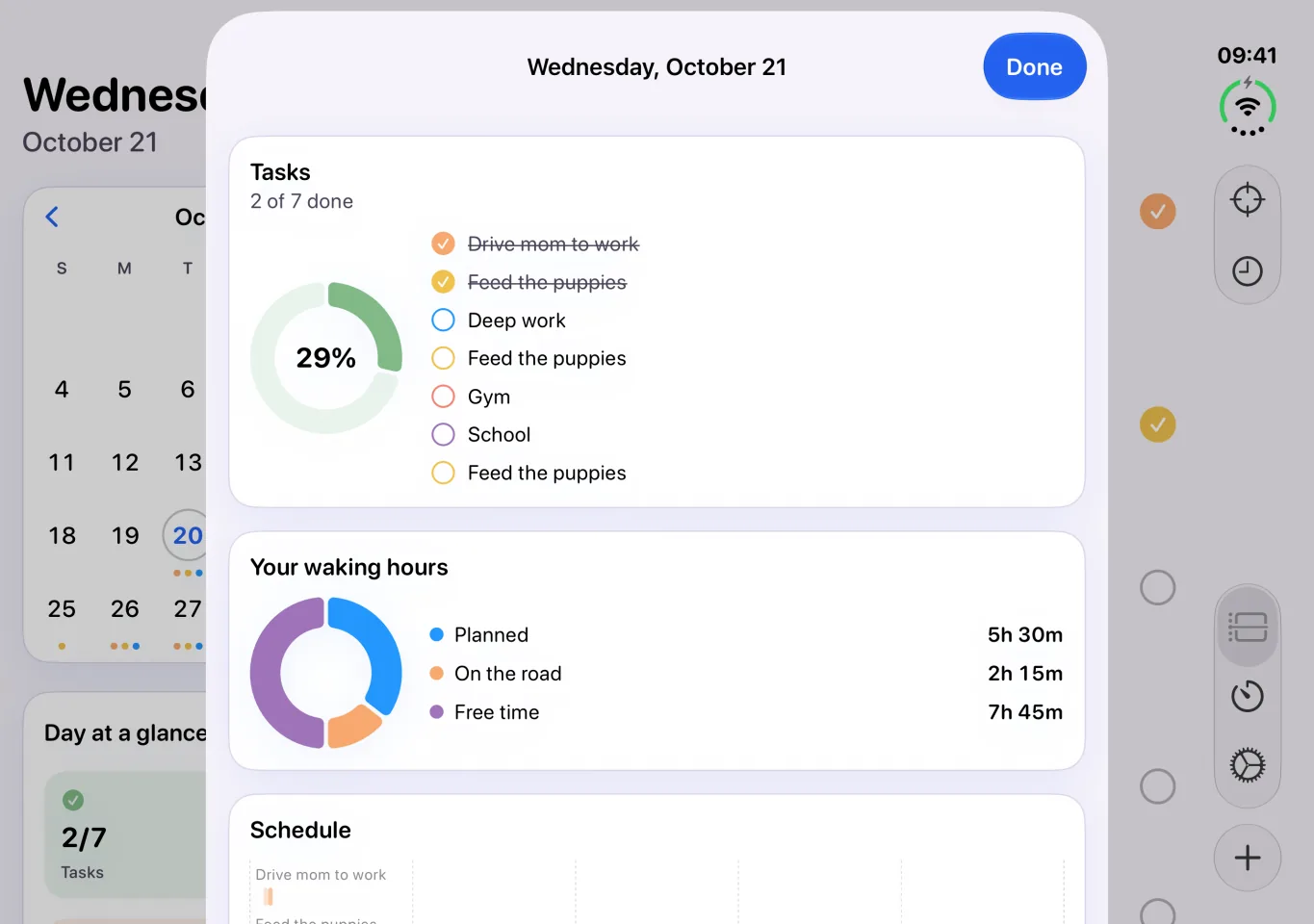
Your day at a glance
iPad
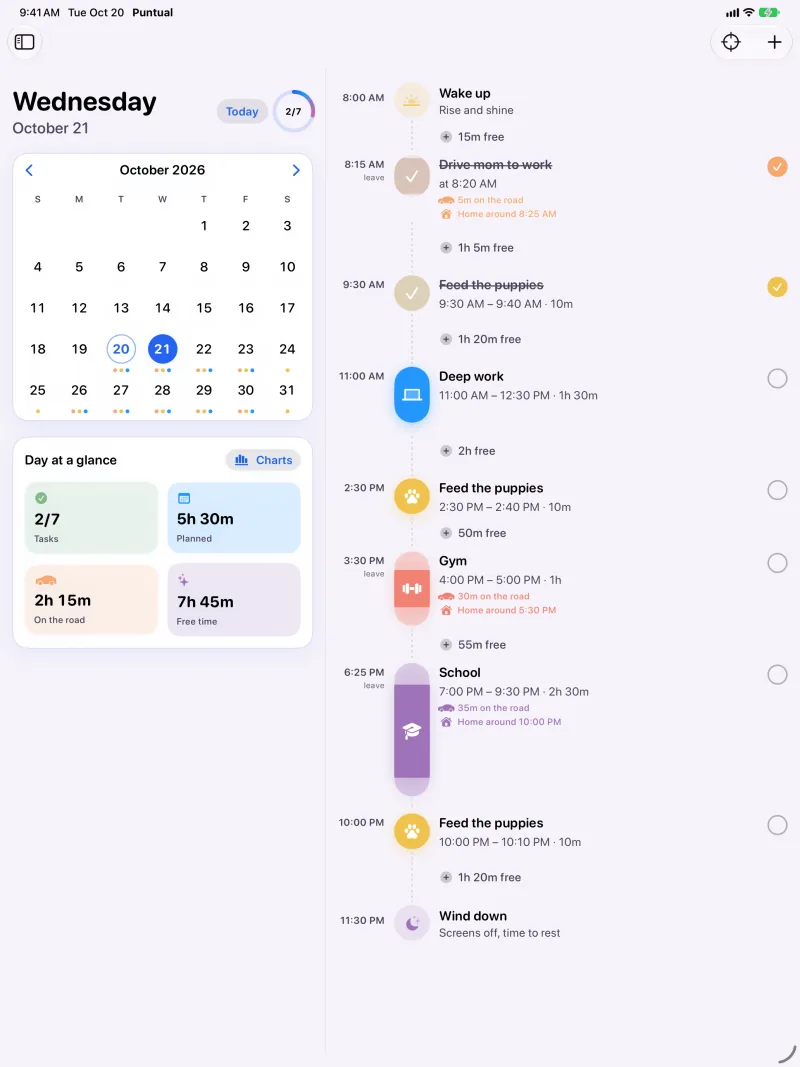
Your day, minute by minute 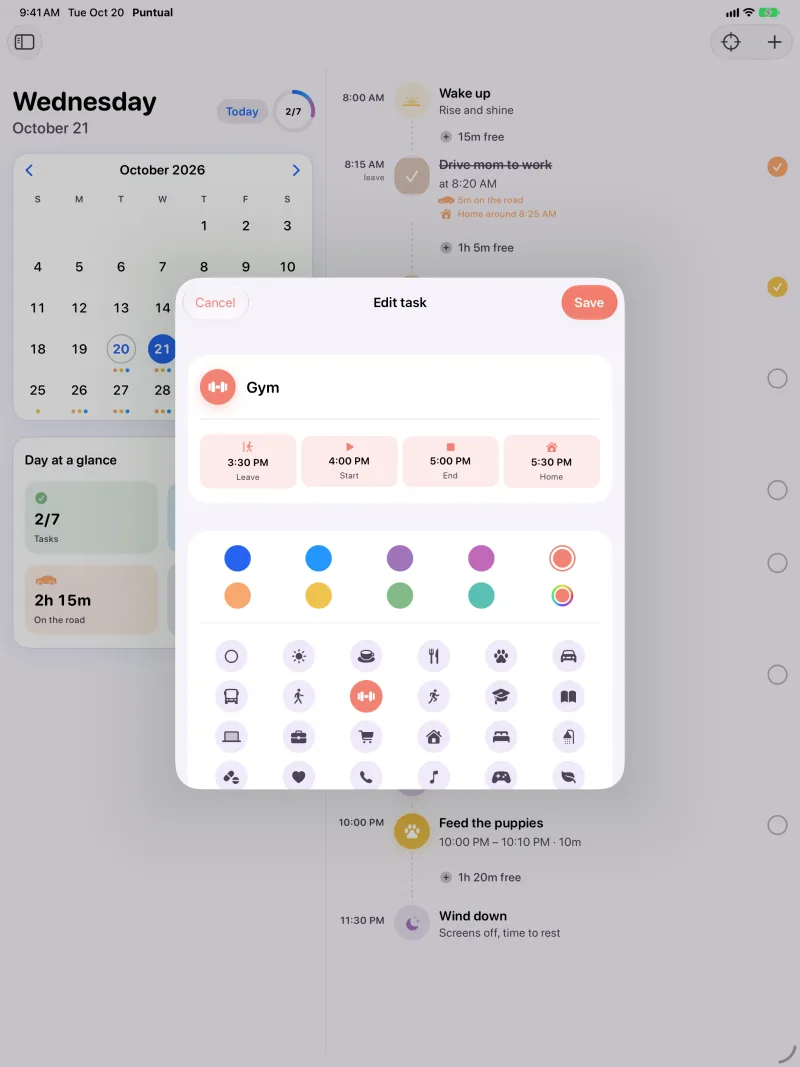
You set the time, Puntual does the math 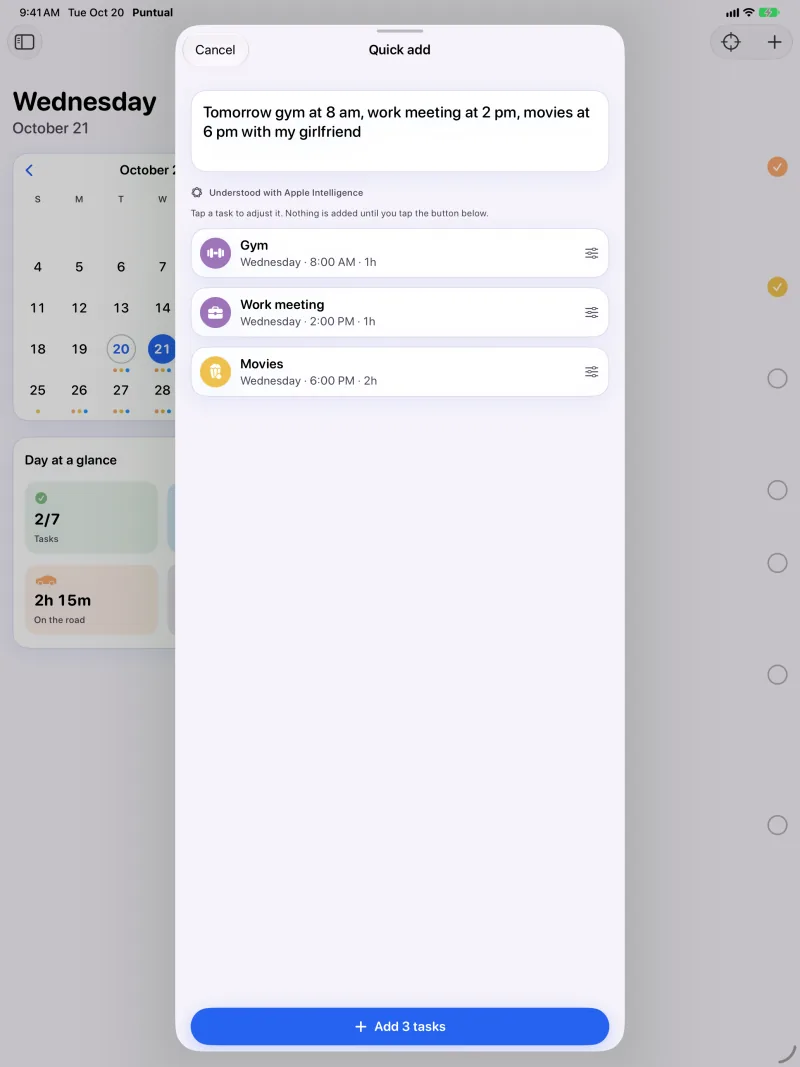
Say it in one sentence 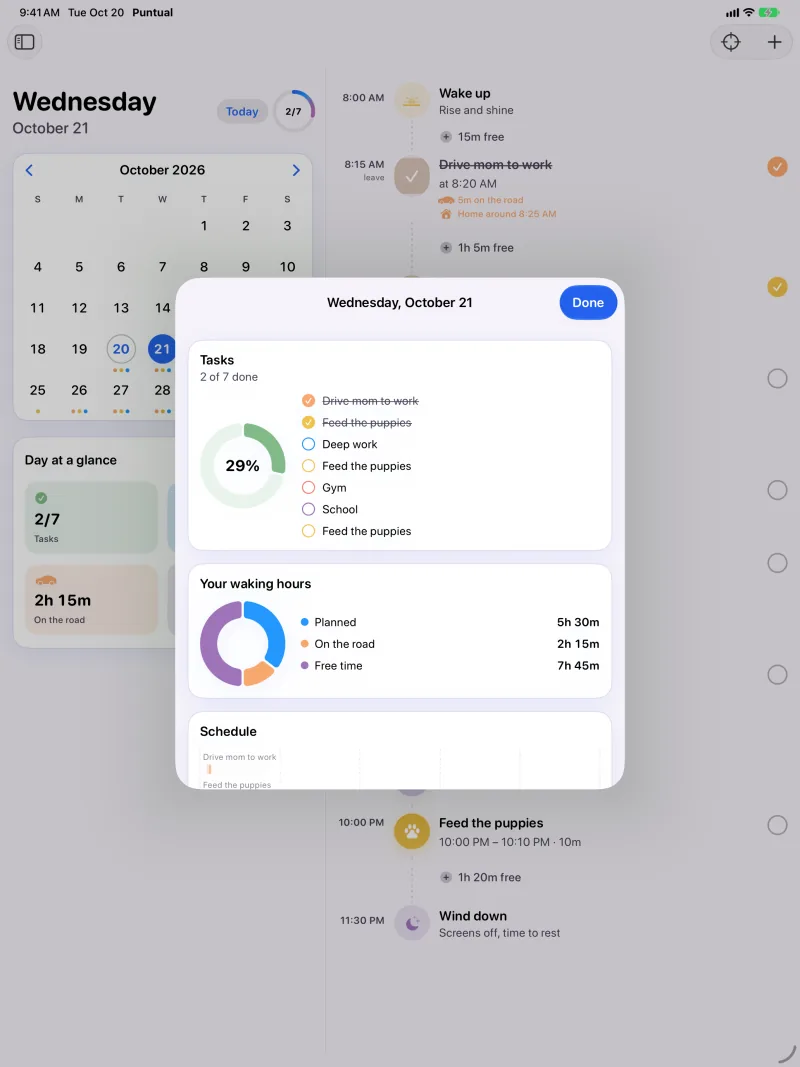
Your day at a glance
Mac
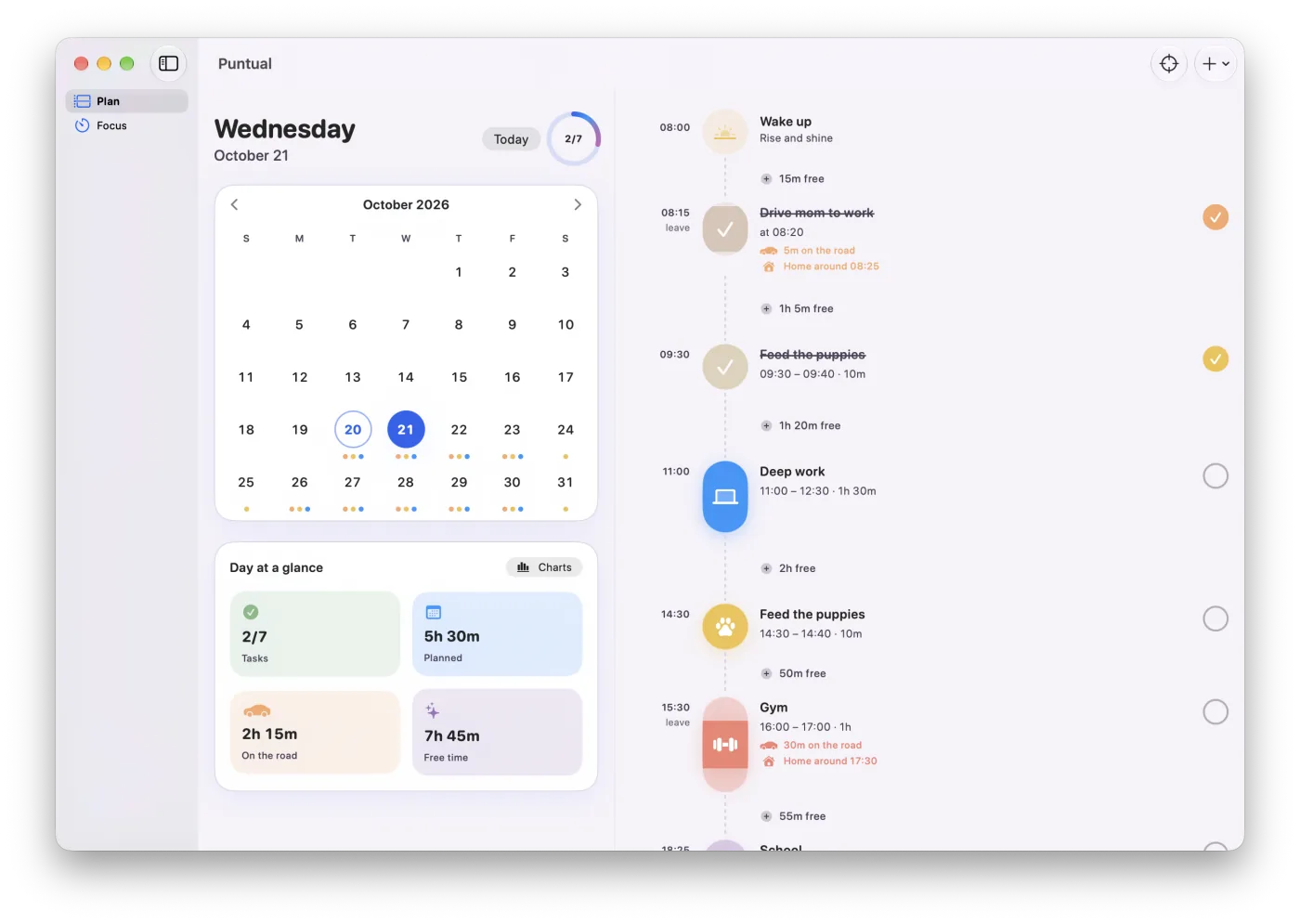
Your day, minute by minute 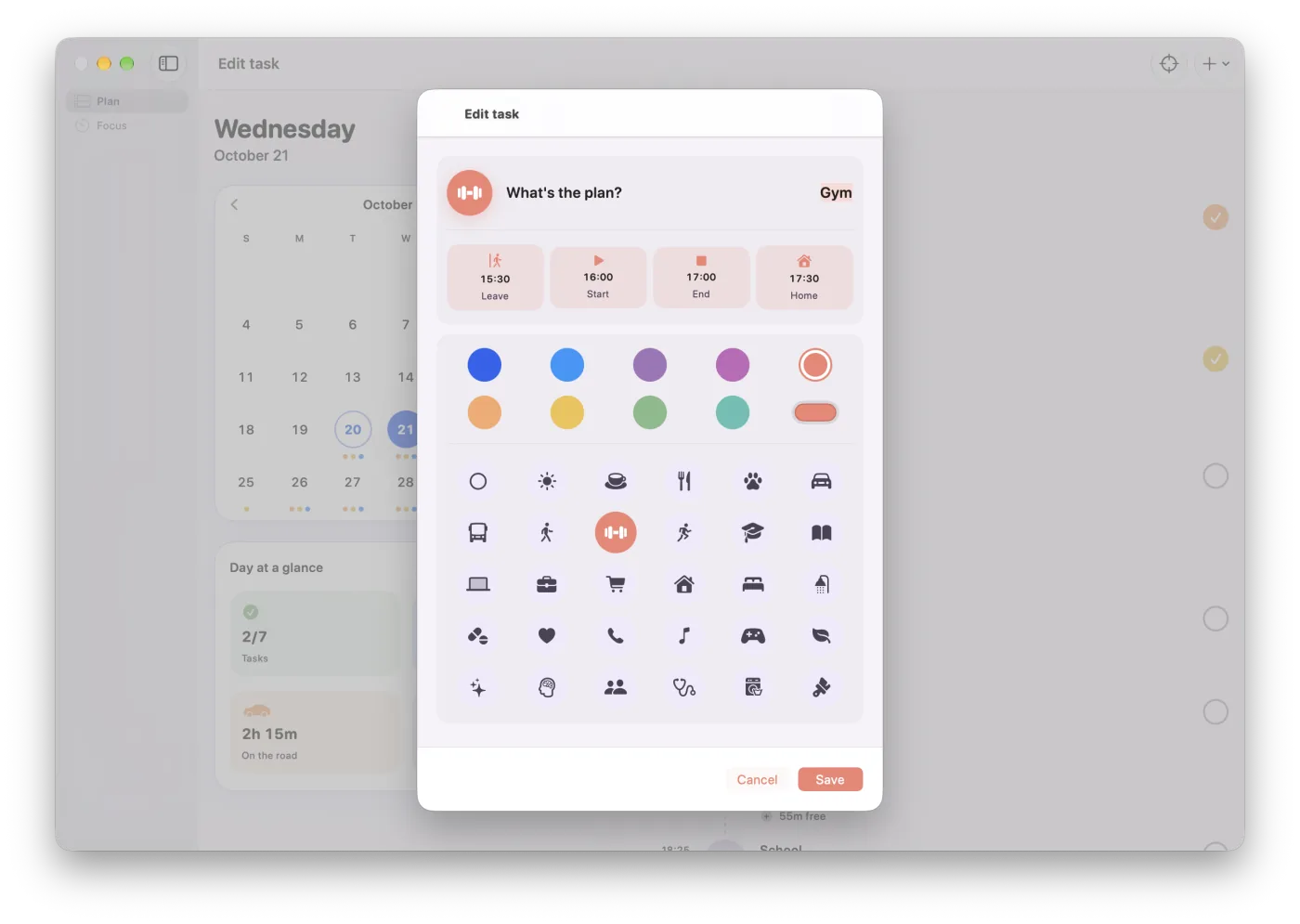
You set the time, Puntual does the math 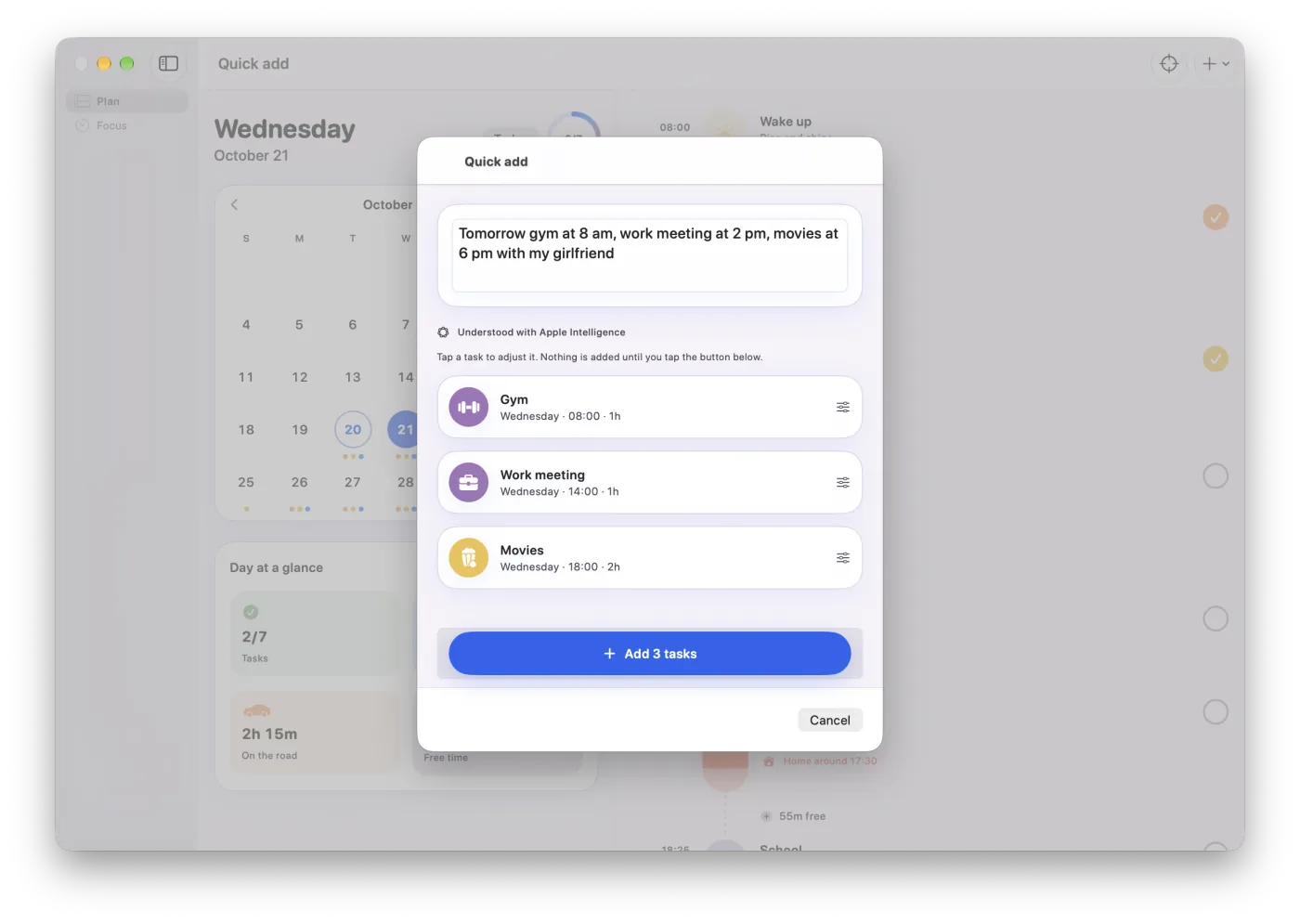
Say it in one sentence 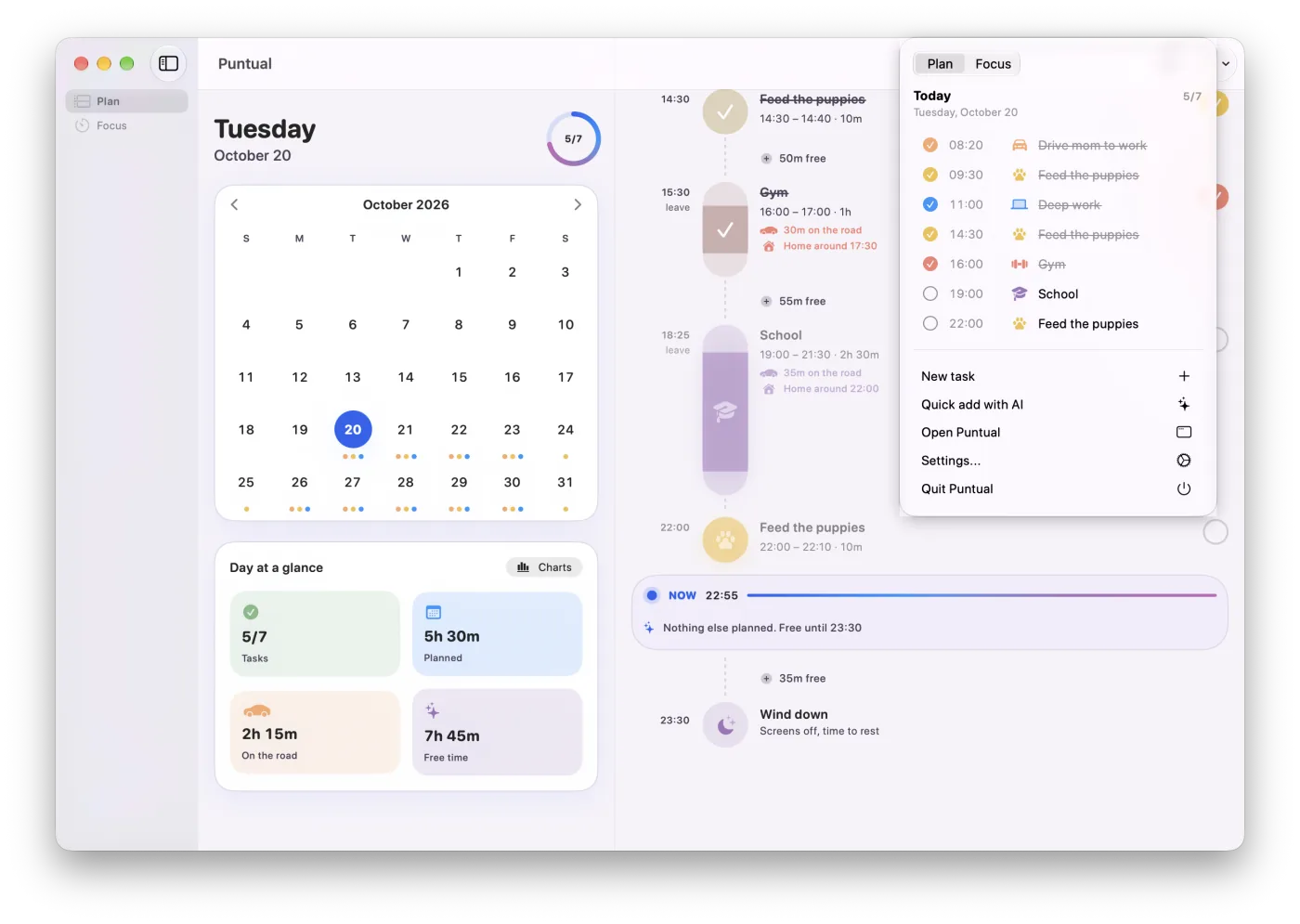
One click away in the menu bar
Pricing
Puntual Pro
14 days free to try it
One subscription with all of Puntual on all your devices. Pay monthly or yearly, and new features come included.
- MonthlyUS$4.99 a month
- YearlyUS$39.99 a yearWorks out to US$3.33 a month
Includes
- When to leave for every task, with reminders and Live Activities.
- Focus timer and quick add with AI.
- Read schedules from a photo.
- Synced on iPhone, iPad, Mac and Apple Watch, with widgets and complications.
Charged to your Apple Account when the trial ends and renews automatically. Cancel anytime in your App Store subscriptions. US prices, before tax. The App Store shows the price in your currency before you pay.
Pricing detailsQuestions
Do I need an account?
No. Puntual has no accounts and no sign-up. Your tasks are stored on your devices and sync through iCloud with the Apple Account you already have.
How does it work out when to leave?
It takes the time you need to be there, subtracts how early you want to arrive and then the travel time. From that it knows when you leave, arrive, start, finish and get back home.
What do I need?
An iPhone on iOS 27 or later. It also runs on iPad with iPadOS 27 and on Mac with macOS 27. The watch app needs an Apple Watch on watchOS 27. Reading schedules with Apple Intelligence needs a compatible device; without it, Puntual reads the text of the schedule right on your device.
Will it flood me with notifications?
No. It only asks for permission on the last welcome screen or from Settings, never on launch. Reminders arrive at leave time or a few minutes before, your call.
Does it sync with my iPad, Mac or another iPhone?
Yes. With iCloud on, your tasks, wake-up and bedtime, and time format sync on their own across the devices signed in to your Apple Account. They're stored in your private iCloud, not on our servers. Your Apple Watch syncs with your iPhone.
Which languages?
The app is in English, Mexican Spanish and French, including Siri and Shortcuts.
How much does it cost?
Puntual Pro is US$4.99 a month or US$39.99 a year, with a 14-day free trial. You pay with your Apple Account and can cancel anytime in your App Store subscriptions. Prices vary by country.

Arrive with time to spare.
Download Puntual and add your first task. In a minute you'll know when to leave.